FROM THE DRIVING MADE CLEAR CHANNEL
Watch the lesson.
Now it’s
your turn.
The same driving situation, now in your hands. Understand the space, make your move, and try again.
Free to try · No account · No timer
01 / AVAILABLE TO PRACTISE
A small space.
A lot to understand.
Parallel park between two cars. Begin with guidance, then try the same challenge with less help.
Try the 19-foot challenge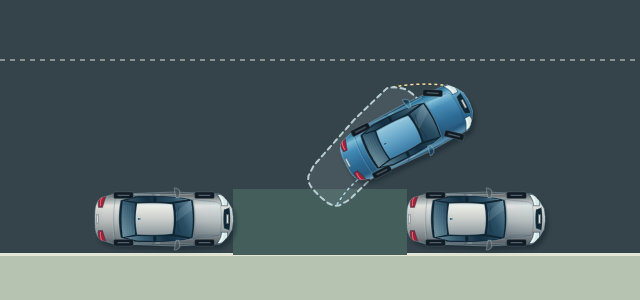
- Your controls
- Touch on your phone.
Keyboard on your computer. - Your perspective
- Look around in 3D.
Add rear camera and mirrors. - Your pace
- Stop. Correct. Replay.
Reset whenever you like.
WATCH → PRACTISE → UNDERSTAND
Learn the space, one decision at a time.
- 01 / SEE IT
Understand the movement.
The animated lesson explains the path. Look around the same situation in 3D before you make your first move.
Watch from 3:58 - 02 / TRY IT
Take the controls.
Choose when to steer and when to stop. Guided practice helps you read the rear path, front swing and clearance.
- 03 / TRY AGAIN
Make the next move better.
Understand which corner or wheel came close, and how to recover. Replay your attempt, then practise with less help in Solo.
Understand why a move works, rather than memorising a bumper or mirror cue that changes from car to car.
BEFORE YOU TAKE THE WHEEL
A few useful answers.
One carefully built exercise to start. Room to keep learning.
Do I need an account or an app?
No account or download is needed. Open the challenge in a modern browser and start practising for free.
Can I practise on my phone?
Yes. Use the on-screen steering and movement controls. On a computer, use the arrow keys or W, A, S and D, with Space to brake. The simulator needs WebGL support.
What happens when I make a mistake?
Stop and inspect the situation. Guided practice explains the corner or wheel involved and suggests a recovery. You can keep practising, replay the attempt or reset immediately. There is no countdown.
Where is my practice saved?
Your recent attempts and preferences stay in this browser on this device. They do not sync across devices. Clearing browser data removes them.
Are more exercises available?
Right now, the 19-foot parallel-parking challenge is available. Reverse-bay corrections and tight-turn practice are planned for later.
Does this replace real driving lessons?
No. This is a way to explore spatial judgement and steering decisions alongside real instruction. The scene simplifies real driving and does not simulate moving traffic, pedestrians, slopes or tyre grip.
READY WHEN YOU ARE
Take your time.
Find your way into the space.
Corrections are part of learning.